

Nibby vs Lose It!
Nibby and Lose It! are both calorie tracking apps, but they prioritize different things. Lose It! takes a gamified approach with its Snap It photo feature, social challenges, and color-coded food scoring. Nibby focuses on pure speed — AI-powered photo, voice, and text logging with no account required. Most entries take under 5 seconds.
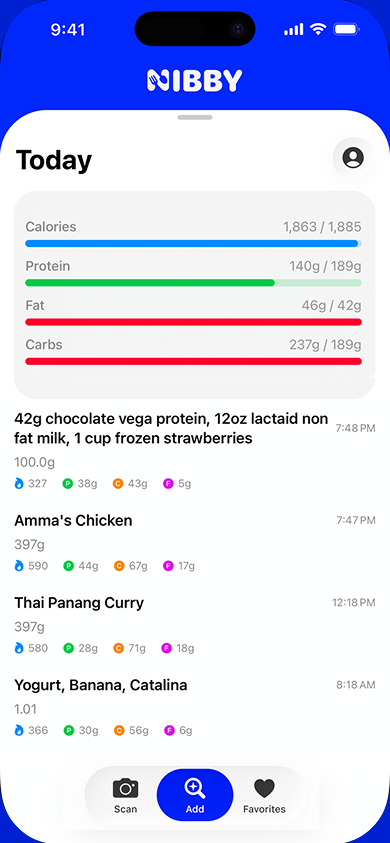
Nibby
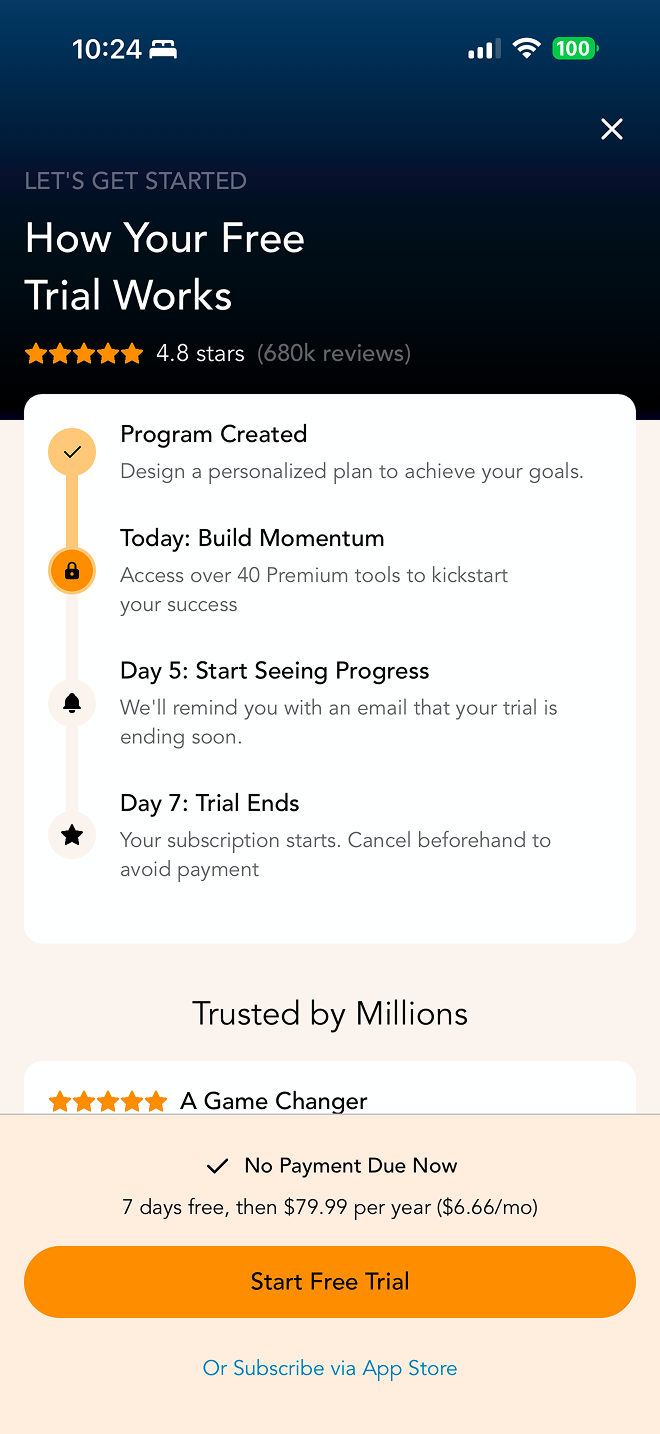
Lose It!
Why People Switch to Nibby
No Sign-Up Required
Start tracking in seconds. No email, no password, no account creation. Just open and go.
No Paywall Trap
No forced trial that auto-charges. No onboarding that leads to a subscription wall. Transparent pricing.
No Ads
Clean, distraction-free interface. No banner ads, no sponsored food suggestions, no upsells mid-tracking.
5-Second Logging
AI handles the work. Take a photo, say what you ate, or type a rough description. Done.
Feature Comparison
| Feature | Nibby | Lose It! |
|---|---|---|
| AI Photo Scanning | ✓ | Snap It feature |
| Voice Logging | ✓ | ✗ |
| Natural Language Input | ✓ | ✗ |
| Lock Screen Widget | ✓ | ✗ |
| Barcode Scanning | ✓ | ✓ |
| Food Database | AI + trusted databases | Verified database |
| Macro Tracking | ✓ | ✓ |
| Apple Health | ✓ | ✓ |
| No Account Required | ✓ | ✗ |
| Free Without Ads | ✓ | ✗ |
| Android Support | ✗ (coming) | ✓ |
| Gamification & Challenges | ✗ | ✓ |
The Experience Difference
Getting Started with Nibby
Open the app
Take a photo of your food
See calories instantly
Getting Started with Lose It!
Create account
Set weight loss goals
Explore premium features pitch
Navigate to food diary
Search or scan food
Confirm entry
Which App Is Right for You?
Choose Nibby if...
- You want the fastest logging experience
- You prefer AI-powered food recognition
- You want to start immediately without signing up
- You value a clean, ad-free interface
- You use iOS and want lock screen integration
Choose Lose It! if...
- You enjoy a gamified weight loss experience
- You want social challenges with friends
- You prefer a budget-friendly premium tier
- You like color-coded food scoring
- You want step tracking integration
Common Questions
Is Nibby's photo scanning better than Lose It's Snap It?
Both apps offer photo-based food recognition. Lose It's Snap It was one of the first photo scanning features in calorie trackers, while Nibby uses newer AI models for recognition. Nibby also adds voice and natural language input, giving you more ways to log beyond photos.
Can I use Nibby and Lose It together?
Yes. Both apps sync with Apple Health, so your nutrition data can stay in one place. Since Nibby requires no account, you can try it alongside Lose It with zero setup.
Is Lose It cheaper than Nibby?
Lose It offers a budget-friendly premium tier compared to many competitors. Nibby is currently free during its beta period with no ads and no hidden charges. Both apps have free versions, but Lose It's free tier includes ads.
Does Nibby have gamification features?
Not currently. Nibby focuses on speed and simplicity rather than gamification. If you're motivated by challenges, streaks, and social competitions, Lose It may be a better fit. Nibby is designed for people who want the fastest possible logging experience.